Get Started
Your First Parallel Session
Go from install to three agents working in parallel, then ship the best result
This is the most important page in the docs. In about ten minutes you'll add a repo, put three agents to work on isolated branches, and merge the winner.
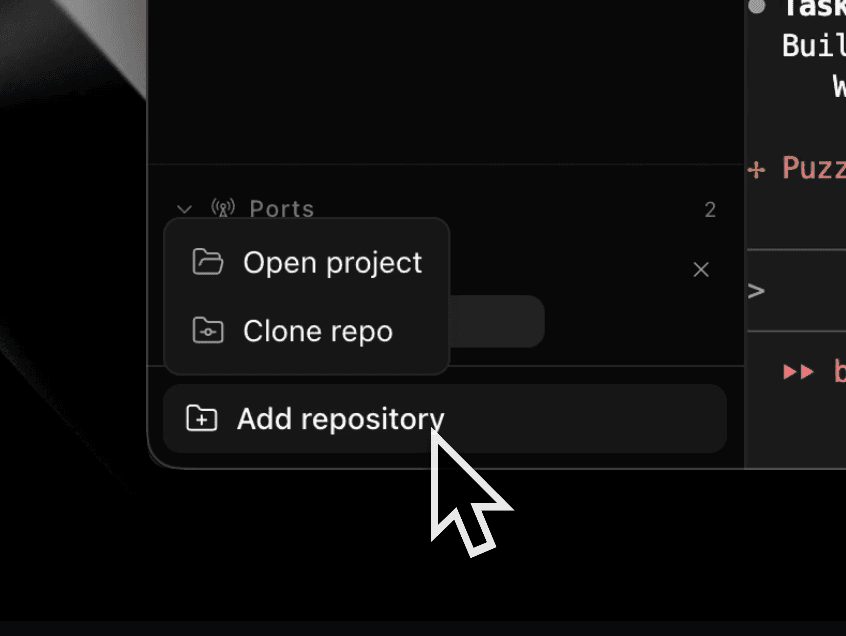
1. Add a Repository
Add your repo from a local folder or Git URL. Requires GitHub auth (gh auth status).
2. Create a Workspace with a Prompt
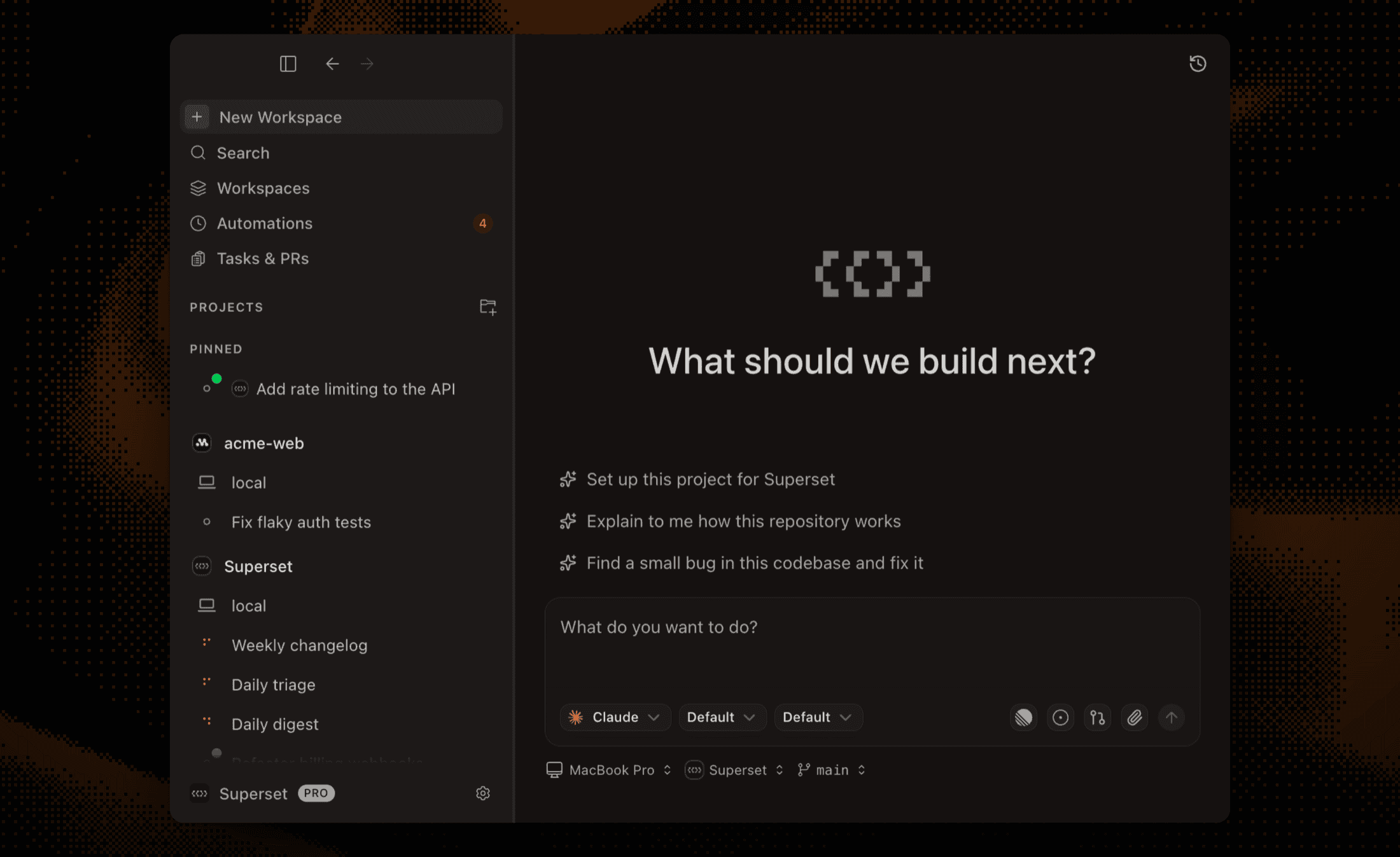
Press ⌘N. Each workspace is an isolated git worktree on its own branch: no stashing, no git checkout whiplash, and nothing an agent does here touches your other work.
In the prompt-first flow, describe the task, pick an agent, and create. The agent starts working on your prompt immediately. (The Auto-run command toggle lives on the tasks surfaces; see Agent Integration.)
A good first prompt if your repo needs dependencies or env files:
Set up this project for Superset. Read docs.superset.sh/setup-teardown-scripts
and docs.superset.sh/ports, then author a .superset/config.json for this repo.
Future workspaces will then install dependencies and copy env files automatically via project lifecycle scripts.
3. Fan Out to Three Agents
Now the part worktrees make possible. Press ⌘N twice more and give each workspace the same prompt with a different agent, say Claude Code, Codex, and Amp:
Find a small bug in this repo and fix it. Explain the bug and the fix
in your final message.
Each agent works on its own branch, in its own directory, with its own terminal. They can't step on each other, and none of them touch main.
4. Watch Them Work
- The sidebar shows each workspace's status at a glance
- Agents pause in the chat pane when they need input, tool approval, or plan review
- Enable notification sounds in Settings to hear when an agent finishes instead of babysitting terminals
5. Review in the Diff Viewer
Open each workspace's Changes tab to see exactly what its agent did.
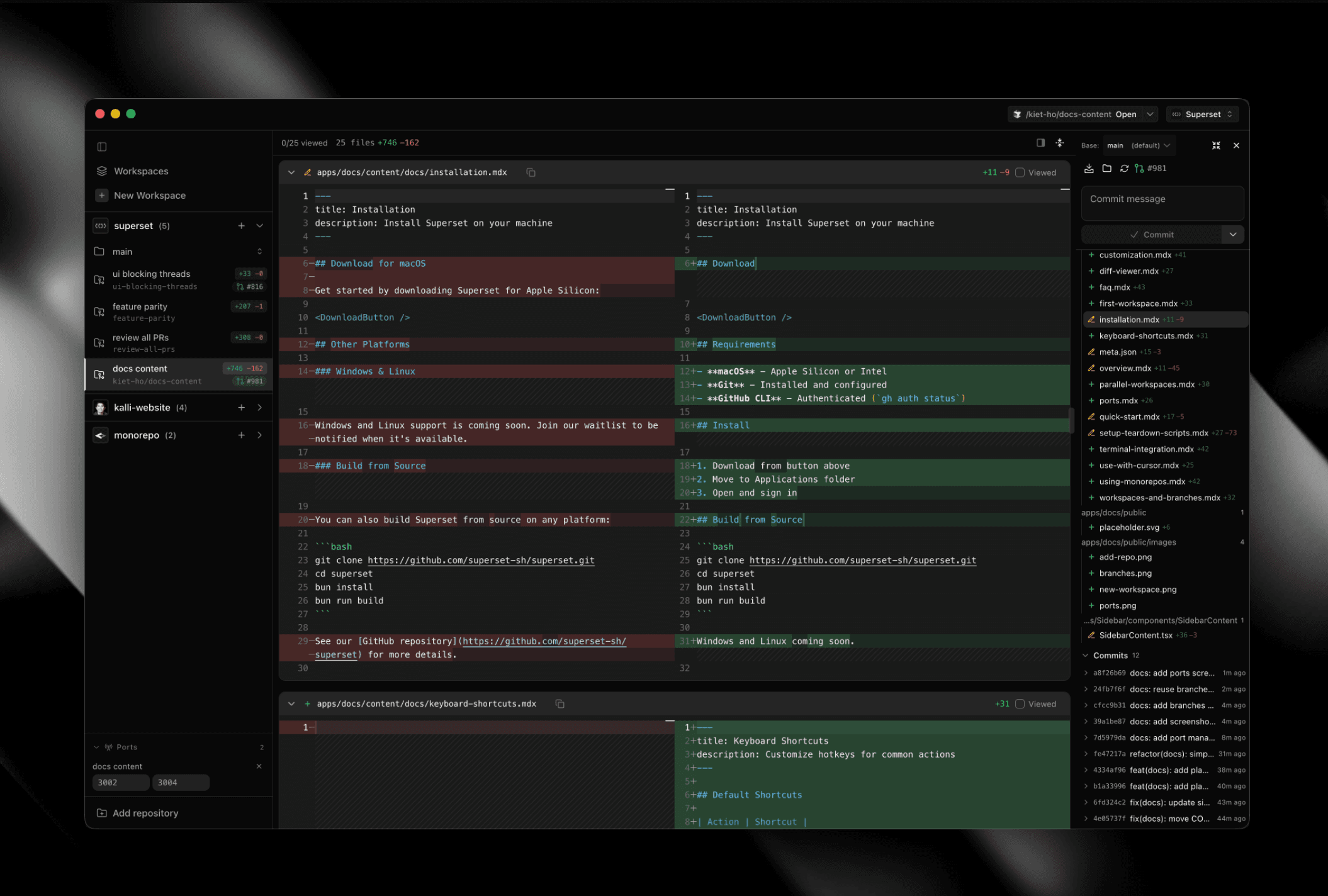
- Toggle split or unified view
- Use focus mode (target icon) to step through files one at a time
- Double-click a line or choose Edit Here to fix small things yourself
6. Ship the Winner
In the workspace with the best result: stage, commit, push, and Create PR, all from the diff viewer.
If a losing attempt had one good idea, select those lines in its diff and copy them over before you clean up.
7. Clean Up
Delete the other workspaces. Lifecycle teardown scripts run automatically, and the worktrees are removed. Deleting a workspace after merging is the normal rhythm, not an edge case.
You Now Know the Core Loop
Delegate in workspaces, review in diffs, integrate through branches and PRs. Everything else in Superset builds on this loop.
Named workflows to try next:
Race Agents on One Task
The pattern you just ran, refined.
Run Three Workstreams at Once
Feature + bugfix + PR review in parallel.
Clear PR Feedback in the Background
An agent addresses review comments while you move on.
Fan Out a Big Refactor
Split large changes into independent slices.
Wake Up to a Finished Audit
Scheduled agent runs with Automations.